G
Grid
See every section in your project as a thumbnail. Pick a folder and CellLabel adds every .vsi file in it.
For Olympus and Evident cellSens scans
CellLabel opens your .vsi files directly. Click cells to count them, or set up a node-based automated workflow. Export a clean spreadsheet directly from the app.
Version 1.1.2 · Works on Apple Silicon and Intel Macs
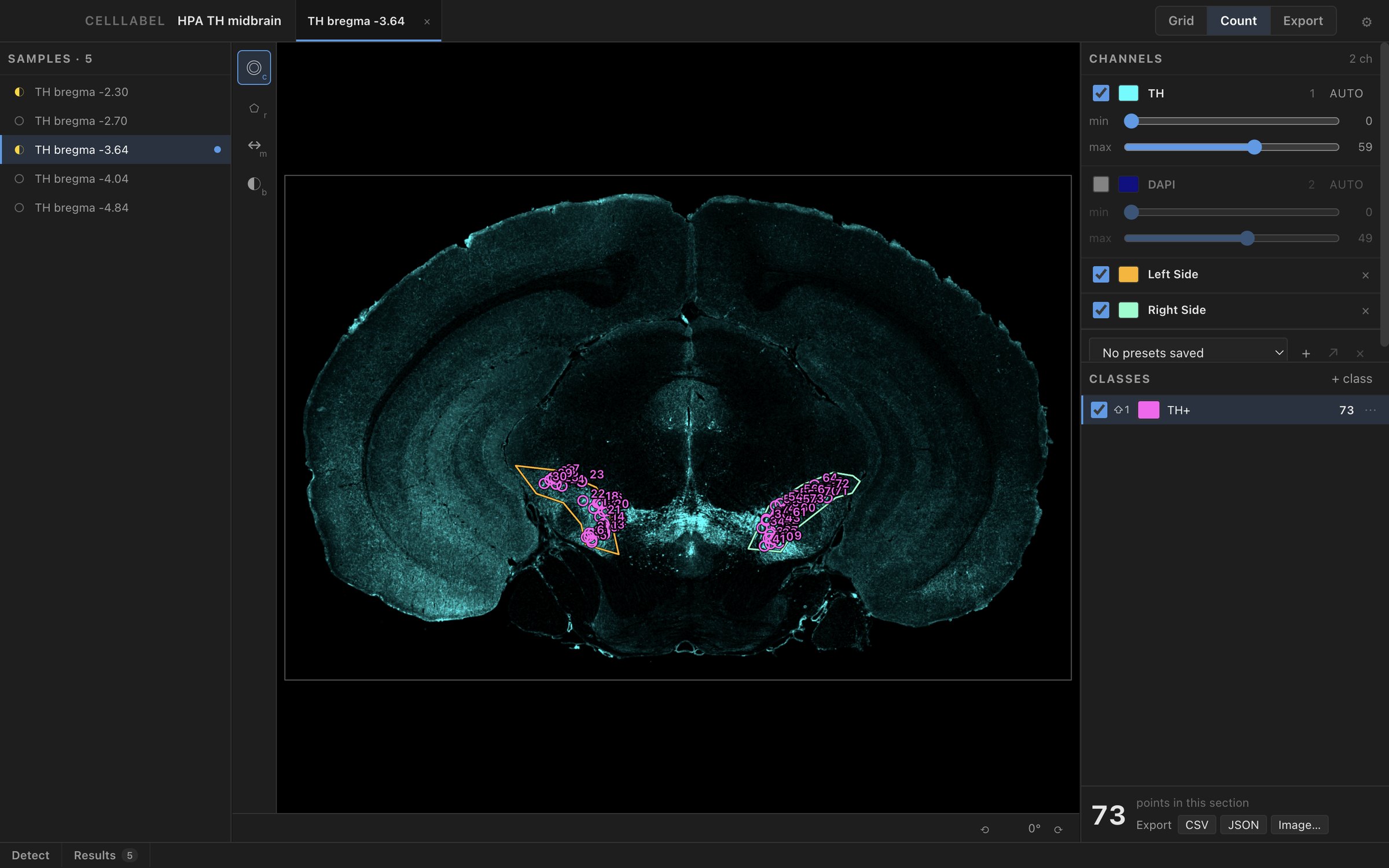
The section you're counting stays in the middle of the window. Use the switch at the top right to move between Grid, Count and Export.
See every section in your project as a thumbnail. Pick a folder and CellLabel adds every .vsi file in it.
Click a cell to count it. ⌘-click to remove a point, or right-click to flag it for review.
Let CellLabel find cells for you. Adjust the settings, check the results, then save them.
See one row per section and one column per class. Copy the table and paste it into Excel.
Save each section as a PNG or TIFF image, along with your counts and a list of every point.
Detect finds cells in four steps. Channel picks the stain. Smooth blurs it so each cell becomes one bright spot. Find peaks marks every spot that is brighter than its surroundings by the amount you set. Label as keeps the spots inside your outline and counts them as a class. The panel below runs CellLabel's own code on a real stain, so change a number and press Run to see the result.
This is the Detect panel running the app's own code on the SNc of a mouse midbrain section stained for TH, at quarter resolution. Drag a number or click ◉ to preview a step, then press Run. At the starting settings it finds 86 cells inside Reference 1.
The demo is easier to use on a larger screen.
CellLabel only reads your .vsi and .ets files. Your points and settings are saved in a separate file.
CellLabel backs up all your projects and points every hour. You can also save a full backup at any time.
When you hide a layer, column or section, the counts are still there. Click Show all to bring them back.
TIFF exports are lossless and open directly in FIJI.
It works on Apple Silicon and Intel Macs. To get started, drag a folder of scans onto the window.